Search results for

#Win11

#1 Click this link to see Blog page --> 11/25/2021

I got an early Christmas present —— a new #Win11 tablet.

It is going to take a while to get the software loaded and figure out the new whistles and bells. There may be a few errors in the Blog while I transition, but hopefully not too many.

MjL

#2 Click this link to see Blog page --> 10/16/2022

Windows 11 update has screwed up my settings again. I do wish they could make their changes without resetting all of mine. I hate the new Snipping Tool and now can’t revert back to the old one because file permissions won’t let me paste the old file into the system. Grrr. #Win11

MjL

#3 Click this link to see Blog page --> 10/17/2022

I did manage to reset my #Win11 file permissions on the directory that wouldn’t let me in. I had to take the permissions away from “TrustedInstaller” and put them under my name.

#Microsoft installs updates as if they own your computer now and gives the file permissions to their installer instead of you.

MjL

#4 Click this link to see Blog page --> 10/11/2023

The last #Win11 update changed the address line on the file manager and it has screwed me up. I am such a creature of habit and now I have to learn a new way to refresh the view. I used to just click on the address line and it would refresh. Not any more.

MjL

#5 Click this link to see Blog page --> 09/21/2024

I have been struggling with the #Win11 File Manager for some time because of the file path drop-down issue (among other kluge fixes). I discovered a link to revert back to the #Win10 File Manger interface. SwitchExplorer

Note: SwitchExplorer.exe requires Windows 11 22H2 build 3007 or higher.

MjL

#6 Click this link to see Twitter Roundup page --> 04/30/2025 #1

#Win11

MjL

#7 Click this link to see Twitter Roundup page --> 12/02/2025 #2
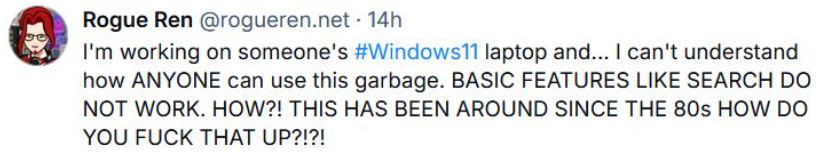
#Win11

MjL